🚀 Getting Started
Welcome to the CrewLogix technical hub! CrewLogix is a symmetric workforce scheduling and operations platform designed to coordinate rosters, automate hours compliance, analyze labor costs, and track attendance terminals.
Unified Application Architecture
The platform runs as a synchronized ecosystem of 5 specific clients powered by a unified Firebase backend:
- CrewLogix Manager: Roster controller, scheduling engine dispatcher, policy configuration, and team ledger.
- CrewLogix Worker: Companion mobile client for shift viewing, leave filings, and peer-to-peer trades.
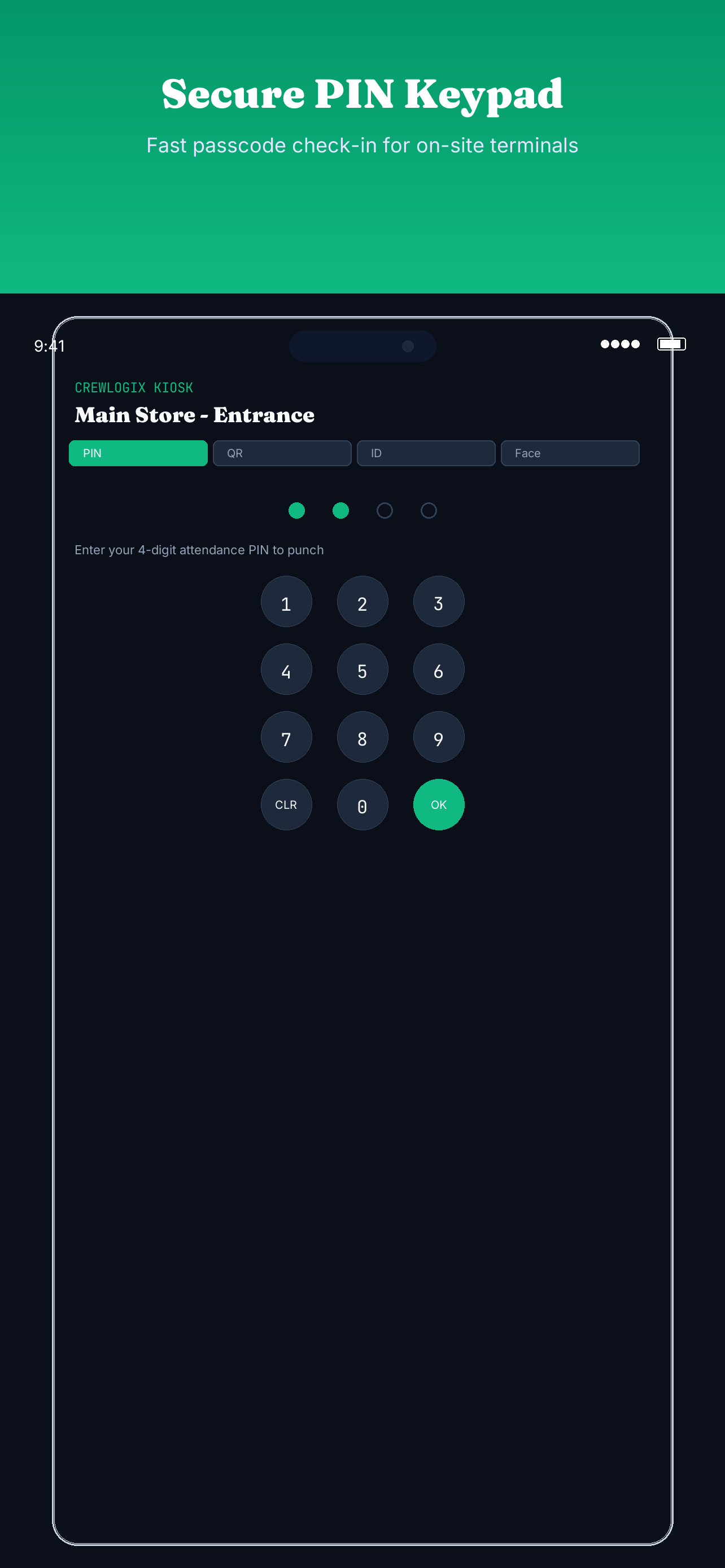
- CrewLogix Kiosk: Dedicated geofenced clock-in device utilizing 4-digit numeric access keys.
- CrewLogix Assets: Asset depreciation, Plate lockers, fuel logs, and hardware tracking.
- CrewLogix Maintenance: technician ticket dispatches, checklists, and breakdown preventive scheduling.
Onboarding & Workspace Deployment
-
1
Establish a Manager Account
Sign up securely inside the Manager App using your business email. Identity profiles are authenticated directly via secure Firebase credentials.
-
2
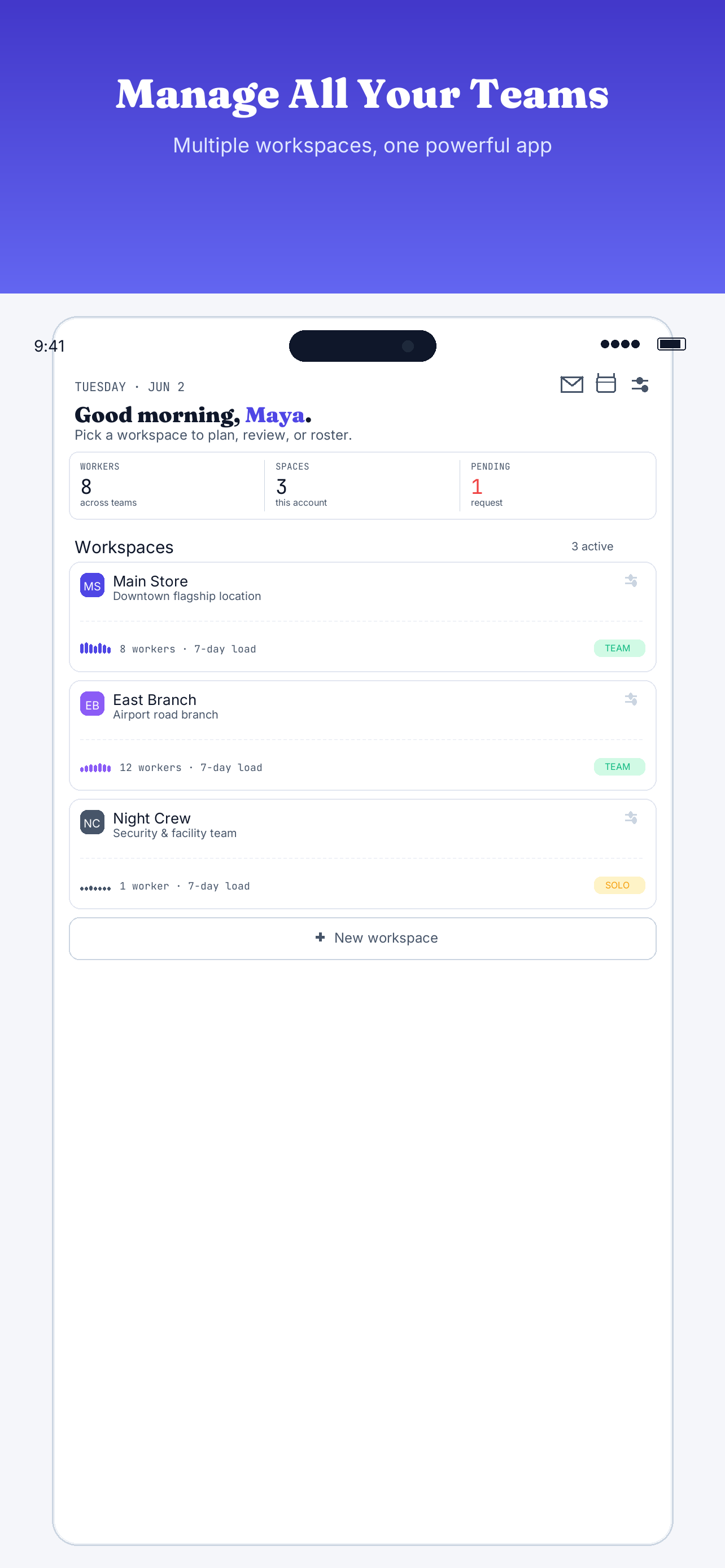
Deploy Your First Workspace
Create a workspace inside the Manager App to represent a physical store location, section, or team. Workspaces contain independent constraints, staff profiles, and schedules.
-
3
Onboard Workers and Generate PINs
Add staff by entering names and capabilities (skills). The system immediately provisions a secure 4-digit attendance PIN for clocking in on shared Kiosk devices.
-
4
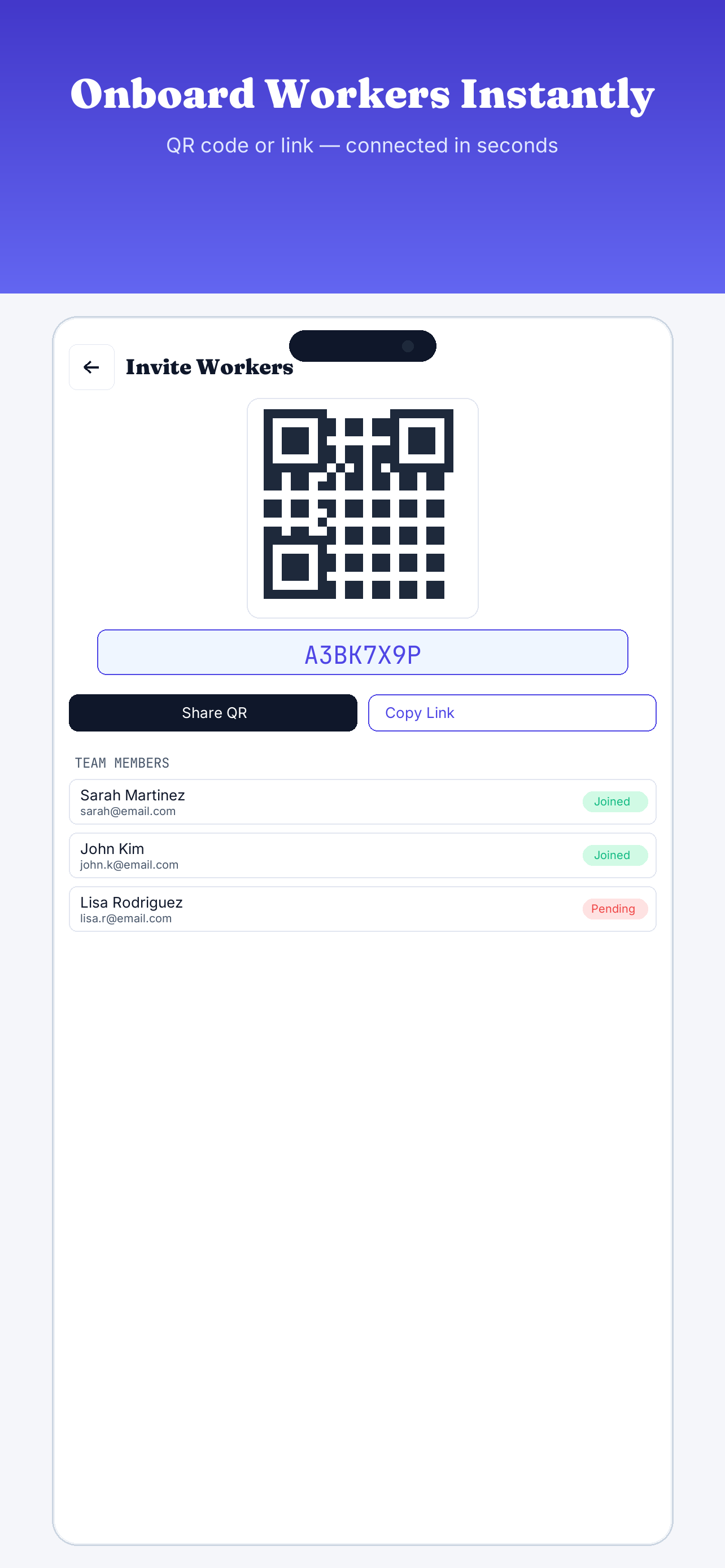
Share Invite QR or Code
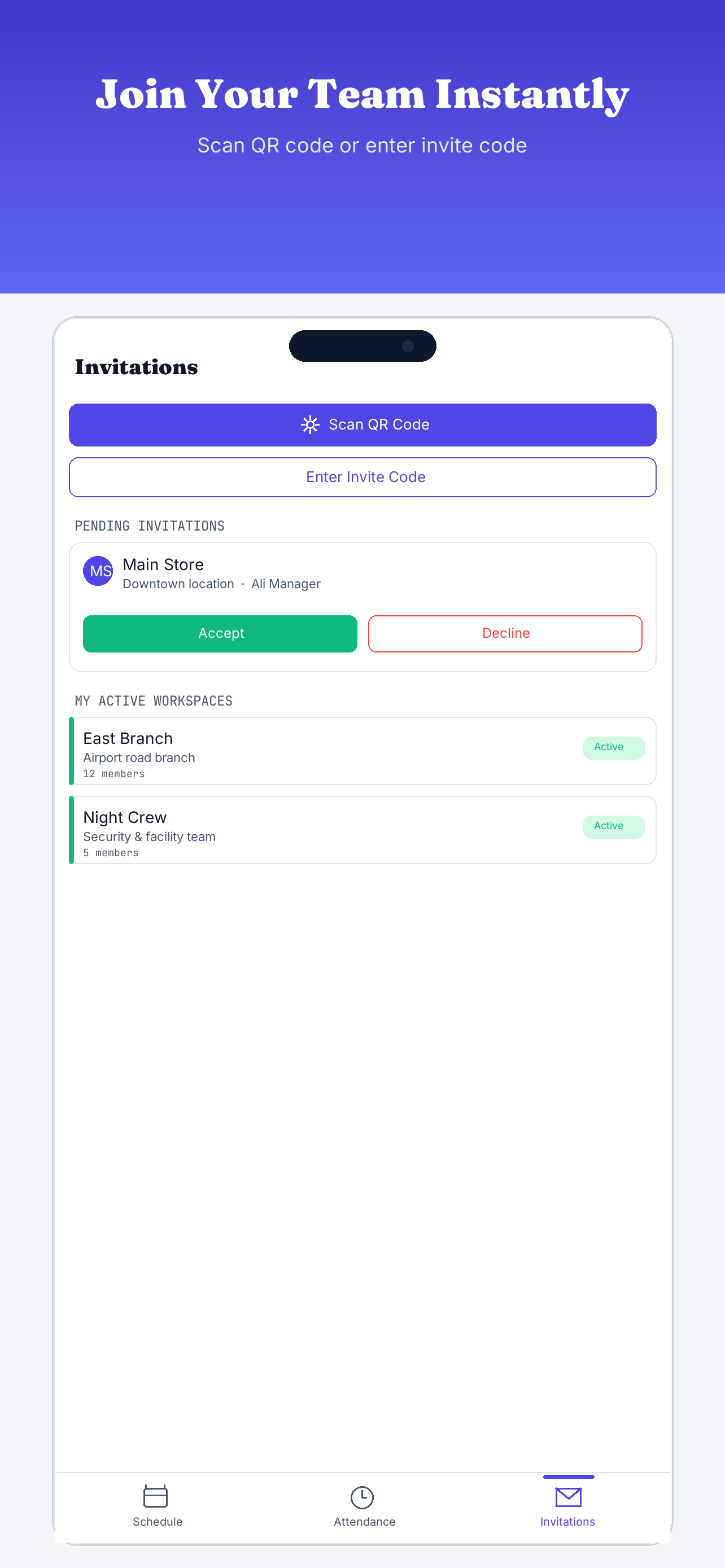
Share a 7-day invite QR code or alphanumeric code. Workers scan this to join the workspace and sync their mobile calendars instantly.
📅 Scheduler & Constraints
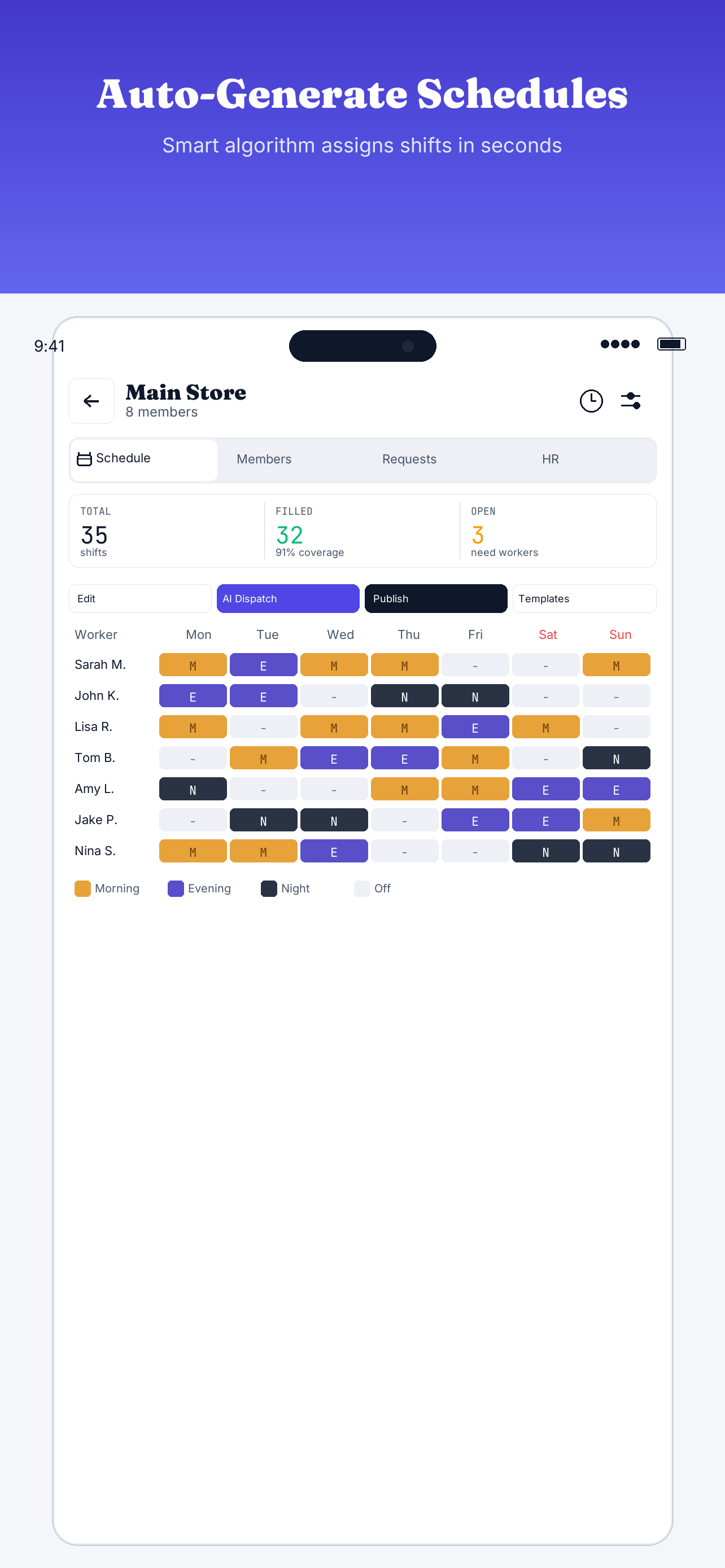
At the core of CrewLogix is an automated scheduling algorithm. Managers define scheduling policies and shifts, and the backend resolves a mathematical matrix to assign workers fairly while respecting all constraints.
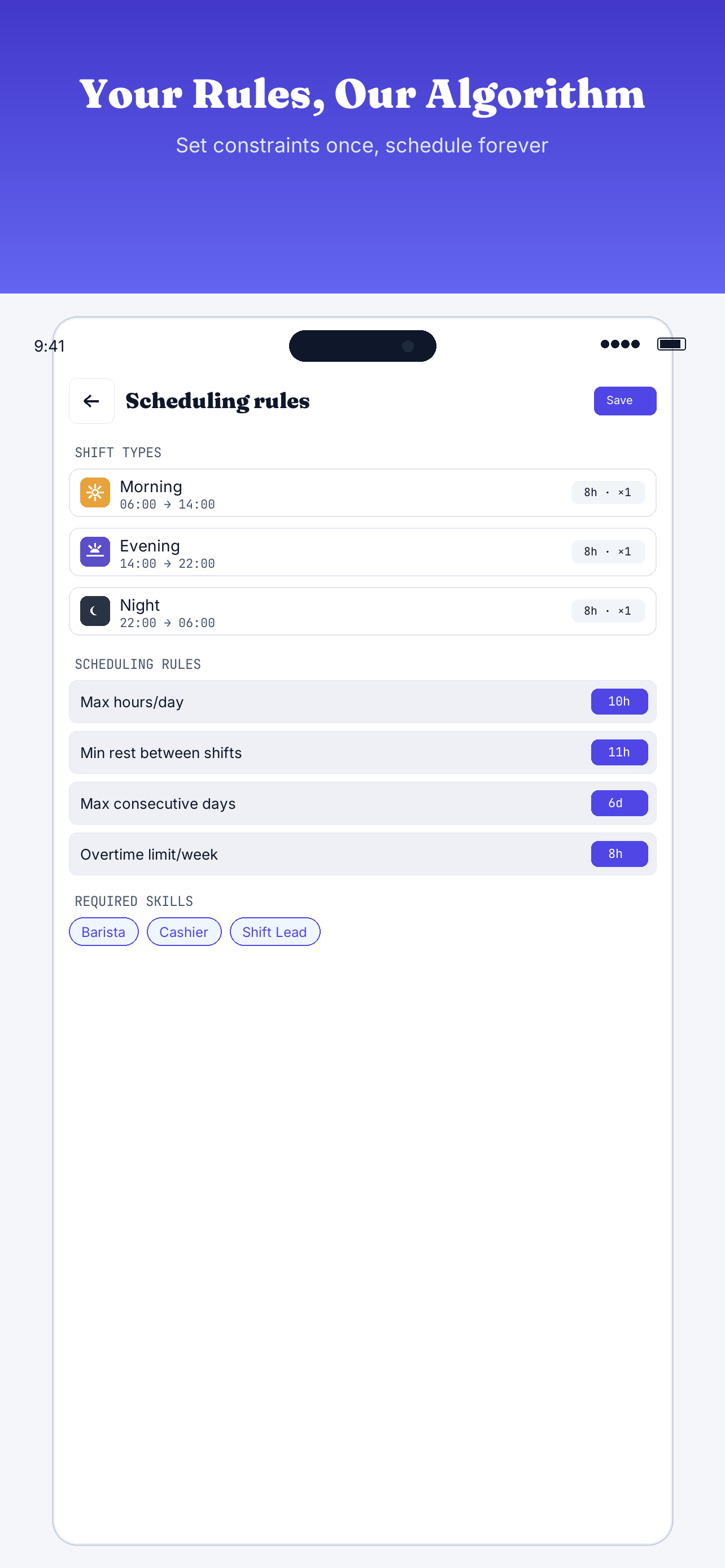
Standard Constraints Policies
- Max Working Hours per Day: Cap on single shift lengths (defaults to 10 hours).
- Minimum Rest Period: Rest threshold enforced between back-to-back shifts (defaults to 11 hours).
- Consecutive Workday Cap: Enforces mandatory rest days (cannot exceed 6 consecutive days).
- Overtime Limit: Weekly threshold triggers overtime cost multipliers (standard threshold is 8 hours/week).
- Skill Capabilities: Requires slots to be filled by qualified workers matching skills like Barista, Cashier, Shift Lead, or Kitchen.
Interactive Rule Checker
Test a potential shift assignment against CrewLogix constraints in real-time:
📊 Labor Cost Analytics
Optimize your staffing budgets. CrewLogix Pro incorporates predictive financial modeling widgets directly into the shift scheduling interface, allowing managers to see financial projections before publishing rosters.
Wage Architectures
- Hourly Workers: Standard hourly rate applies. Overtime hours (accumulated hours exceeding the weekly 8-hour overtime threshold) automatically scale at 1.5x the regular rate.
- Contract Workers: Toggle "Is Contract" in the worker profile. Their gross monthly salary is pro-rated across the schedule calendar window. Overtime hours do not scale salary costs (calculated at $0 extra).
⚠️ Payroll Encryption & Visibility
Wage parameters are encrypted inside workspace databases. Budget summaries are restricted exclusively to authenticated workspace managers and owner UIDs. Standard workers never see salary stats or overtime costs.
Cost Projection Cards
The Manager App renders dynamic cost analytics dashboards displaying:
- Gross Forecasted Payroll: Live summation of base rates, pro-rated salaries, and overtime pay.
- Capacity utilization: Percentage indicators comparing scheduled hours against total worker availability.
- Overtime warnings: Automatic red tags alerting you of employees approaching the 8h/week limit.
🔄 Pattern Rotations (Pro)
Streamline shift planning with templates. Instead of manually dragging shifts every week, managers can design rolling cycles (like bi-weekly or 2-2-3 DuPont schedules) and loop-apply them across calendar months.
Rotation Workflow
-
1
Design the Template
Inside the workspace panel, navigate to Templates and create a pattern. Define the cycle duration (from 1 to 28 days).
-
2
Add Shift Demands to Day Offsets
Configure required shifts for Day 1, Day 2, etc. Specify the times, mandatory skills, and quantities for each slot.
-
3
Loop-Apply to Roster Grid
Select a start date and the number of repeating cycles. The system generates draft shifts in your roster automatically, keeping midnight overlaps clean.
👥 Worker App & Sync
The companion Worker App provides staff with schedule transparency and self-service flexibility, reducing miscommunication and manual adjustments.
Worker Self-Service Features
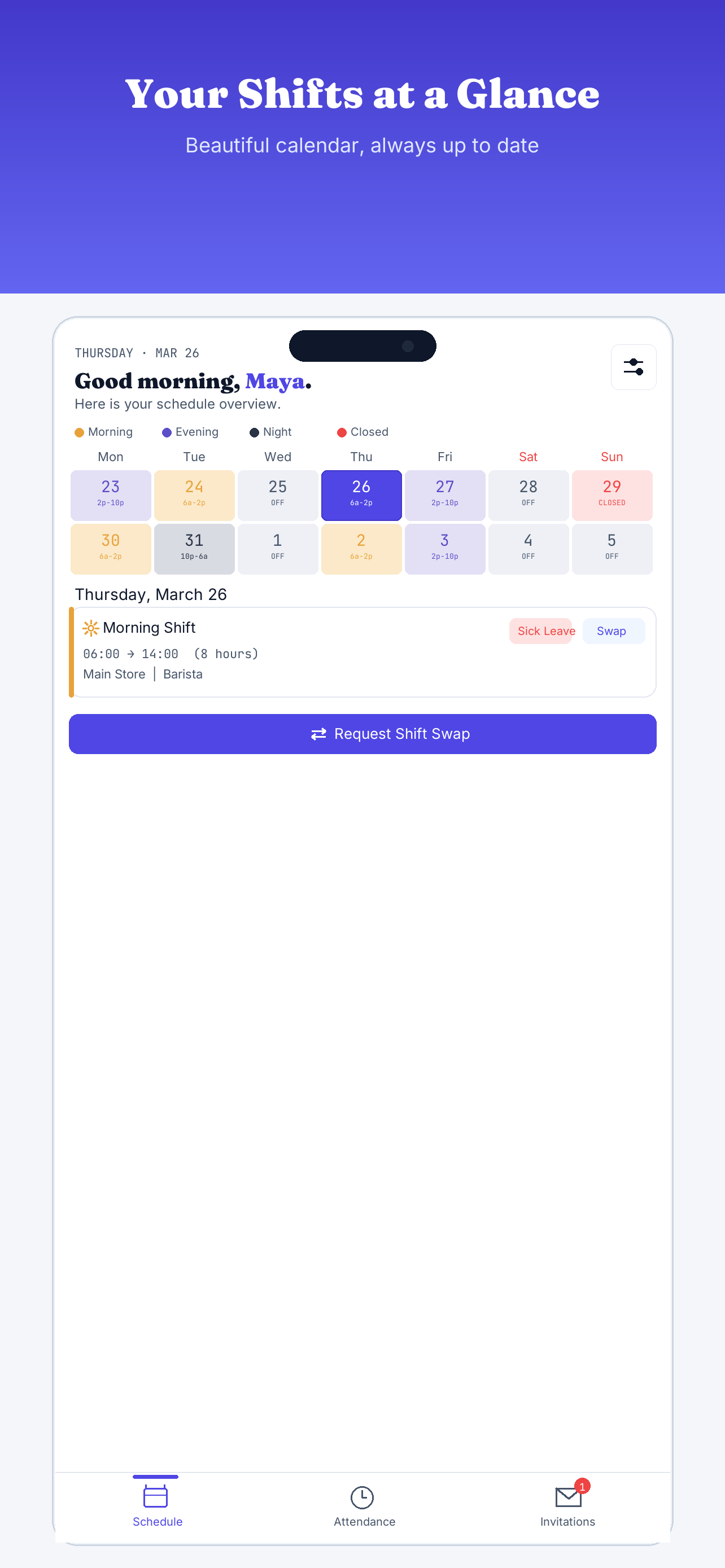
- Shift Calendar: View published schedules on an interactive calendar. Day slots are color-coded (Morning: Orange, Evening: Purple, Night: Charcoal).
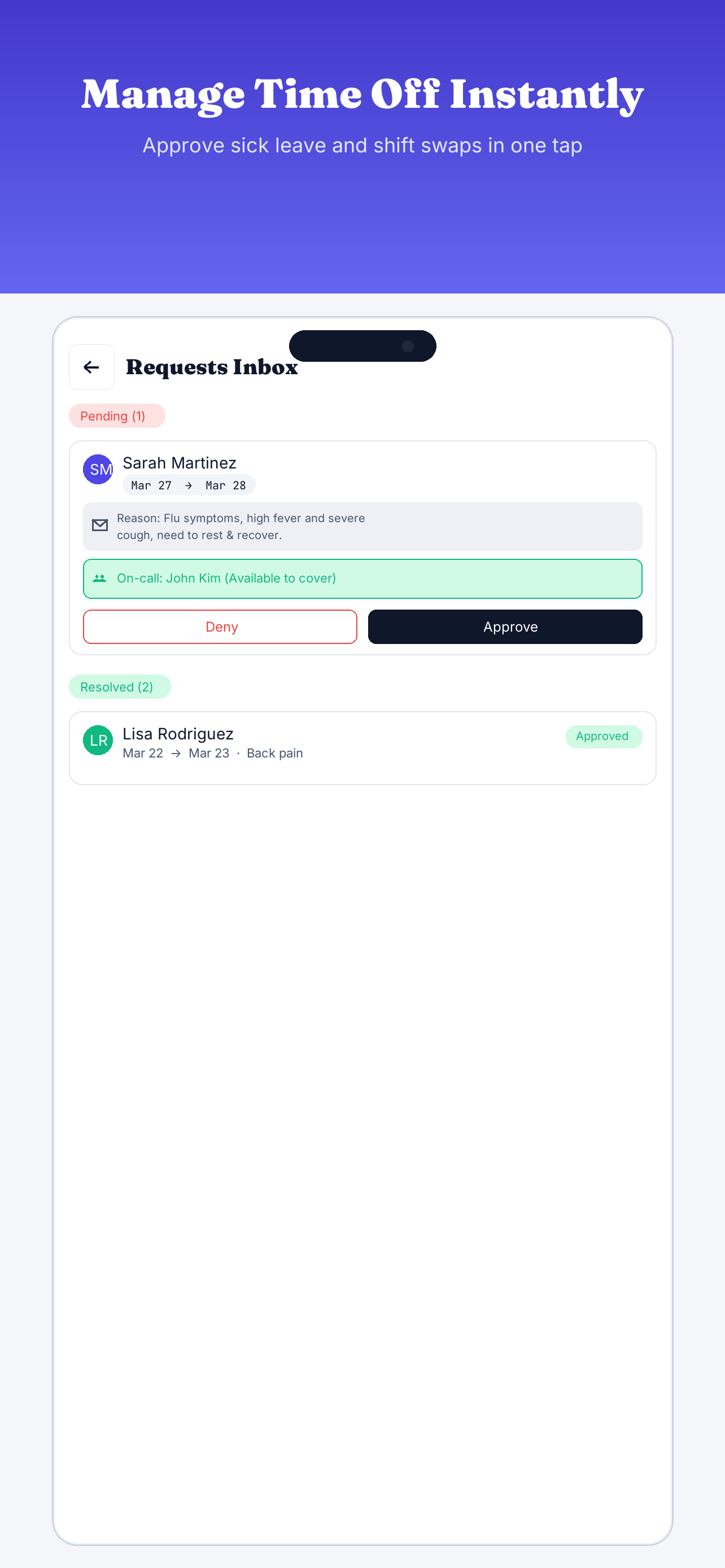
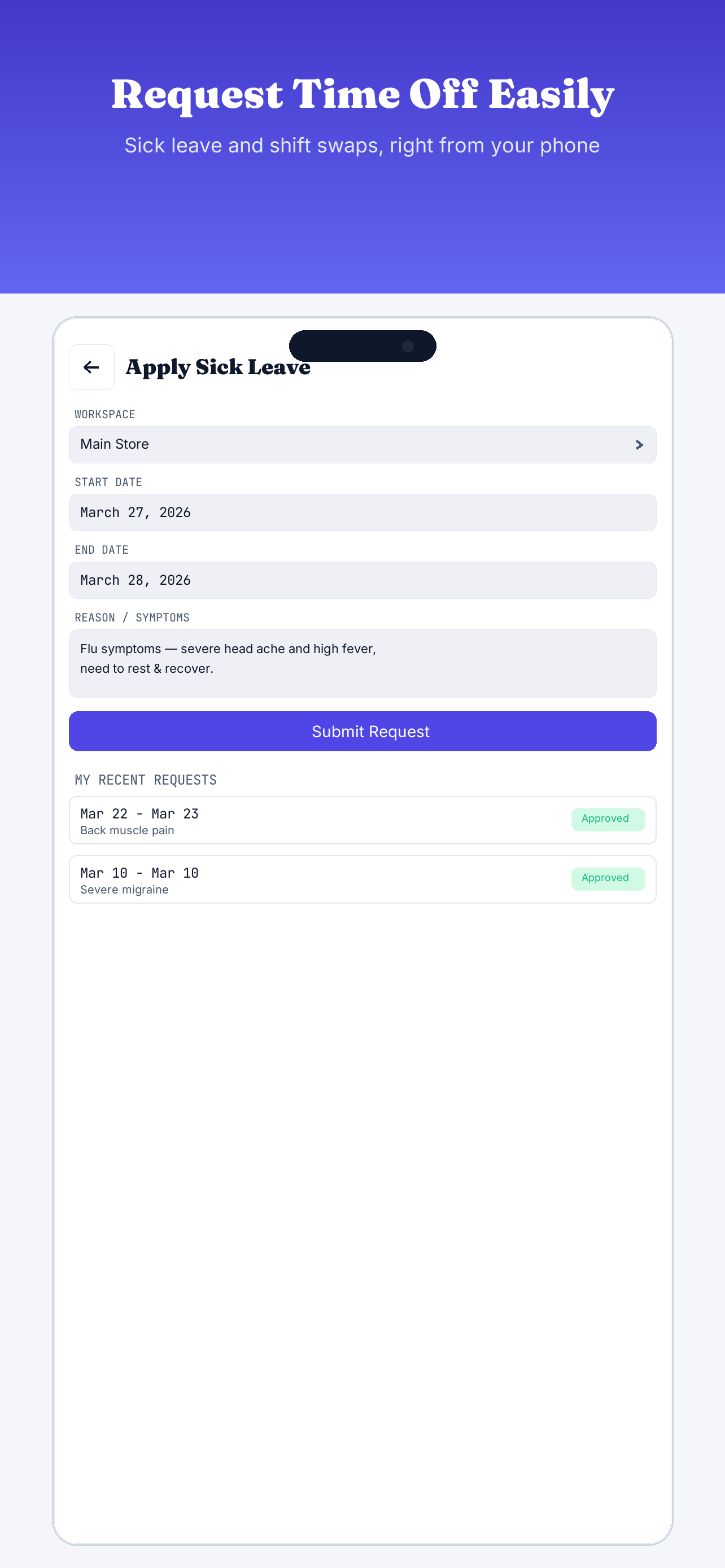
- Sick Leave Submissions: Submit sick leave dates and reasons. Submitted requests flag real-time alerts inside the manager's inbox.
- Shift Swapping: Initiate shift swap requests with eligible coworkers. The system verifies capability rules (ensuring the covering worker has the required skill) before presenting the trade to the manager for approval.
🕒 PIN Attendance Kiosk
Transform any mobile tablet into an on-site check-in terminal. Workers clock in/out using secure 4-digit PINs, QR codes, employee IDs, or face login scans.
Kiosk Operation Guide
-
1
Generate Worker Passcodes
Inside the Manager App directory, provision worker accounts. The system automatically assigns a unique, secure 4-digit PIN for each worker and generates a QR code.
-
2
Launch and Geofence Terminal
Tap the Kiosk Terminal icon in the top header of the Manager App. Define the workspace's allowed geofence coordinates and lock the screen to enter dedicated terminal mode.
-
3
Select Punch Mode
Frontline staff can select from 4 authentication modes: enter their 4-digit PIN on the virtual keypad, present their Worker App QR code, search by Employee ID, or use face recognition.
-
4
Confirm with Profile Modal
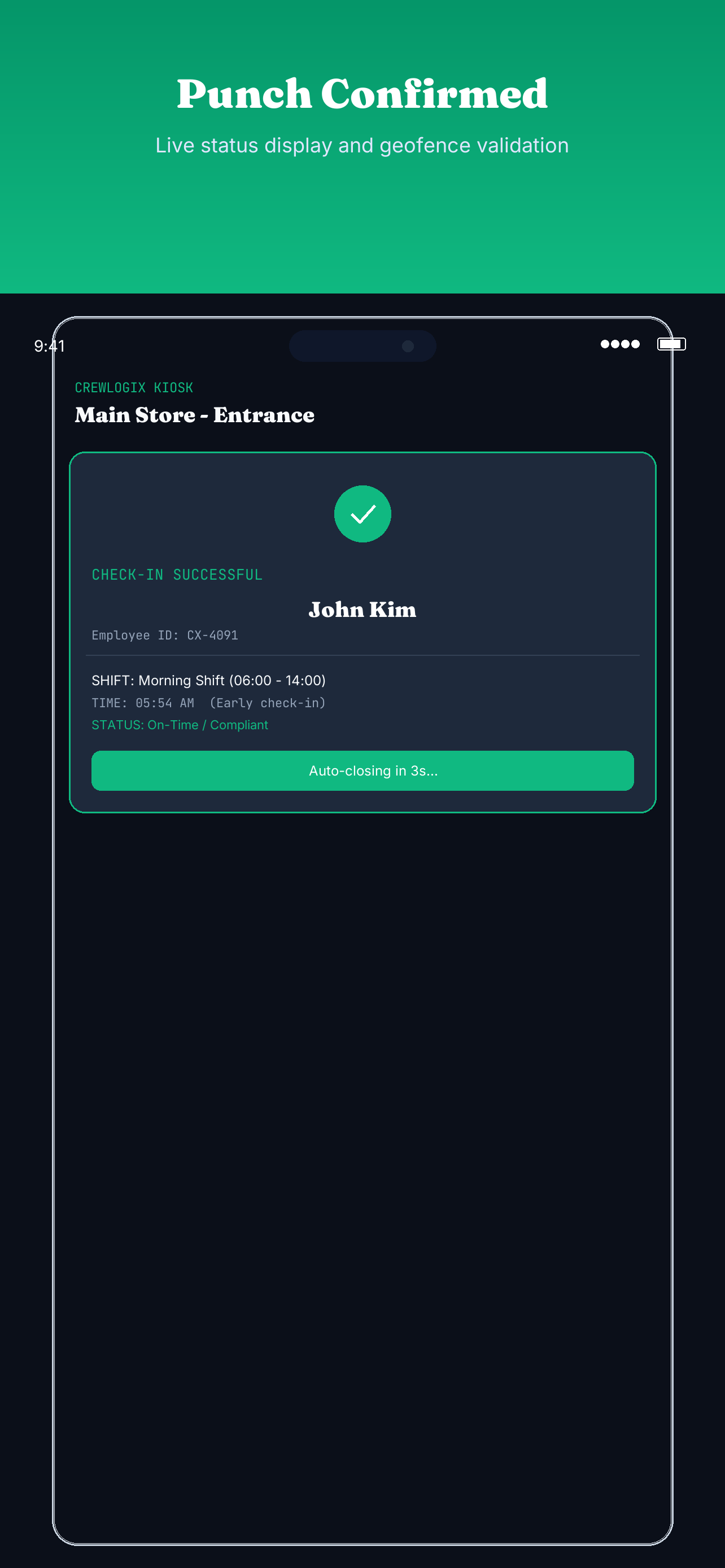
On validation, the screen flashes a green checkmark modal displaying name, shift status, and workspace details before auto-dismissing in 3 seconds to keep queues moving.
-
5
Exit Terminal Mode
To return to the administrator dashboard, click the hidden Settings icon in the top-right corner of the setup bar and enter the master exit passcode: 0000.
🛡️ Assets Ledger
Manage fleet details, properties, water/energy points, and company equipment within a unified operational asset system.
Asset Management Workflow
-
1
Register Assets by Category
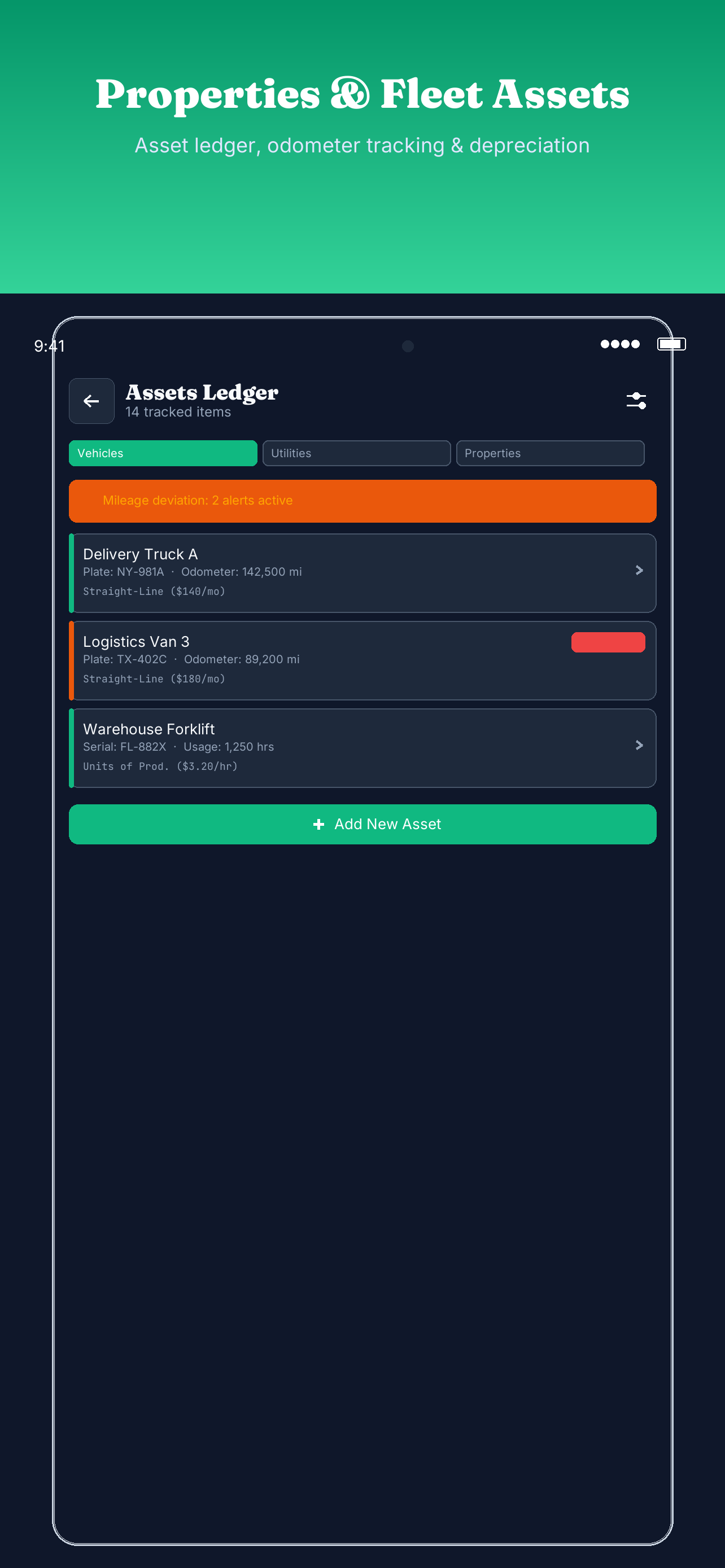
Categorize items under Properties (leases), Utilities (meters), Vehicles (fleets), or Operational Assets (office equipment, forklifts) to enforce specific tracking fields.
-
2
Apply Depreciation Model
Configure straight-line or units-of-production models. The system computes monthly book value depreciation: (Cost - Salvage) / Term Months.
-
3
Log Odometers & Deviation Alerts
Track fleet odometers. If a trip log exceeds historical baseline mileage bounds, the dashboard automatically flags a deviance outlier warning tag.
-
4
OCR Fuel Receipt Scanner
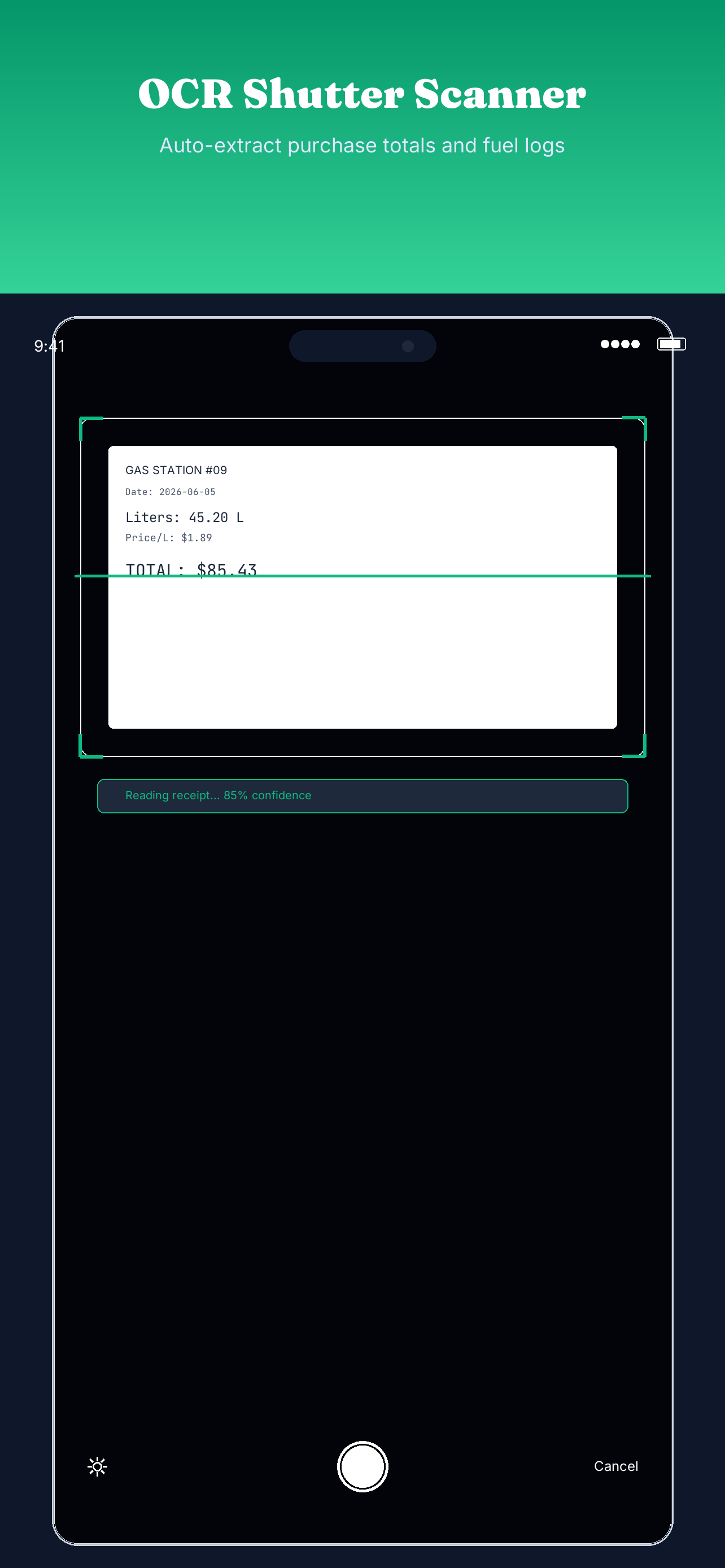
Scan receipt scans using the OCR Shutter. A virtual laser lines animation auto-fills liters, price, and total fuel logs into the asset record.
-
5
Print QR Labels for Custody Handovers
Print barcodes or QR tags for tools. Shift workers scan custody codes on their mobile app to transfer equipment responsibility seamlessly.
🔧 Maintenance Console
Deploy preventive maintenance rules and triage active breakdown tickets. Bridges technician repairs directly to the asset depreciation ledger.
Maintenance Workflow Guide
-
1
Triage Breakdown Tickets
Flag broken machinery, log malfunction details, assign severity priority tiers, and dispatch service tickets directly to on-call technicians.
-
2
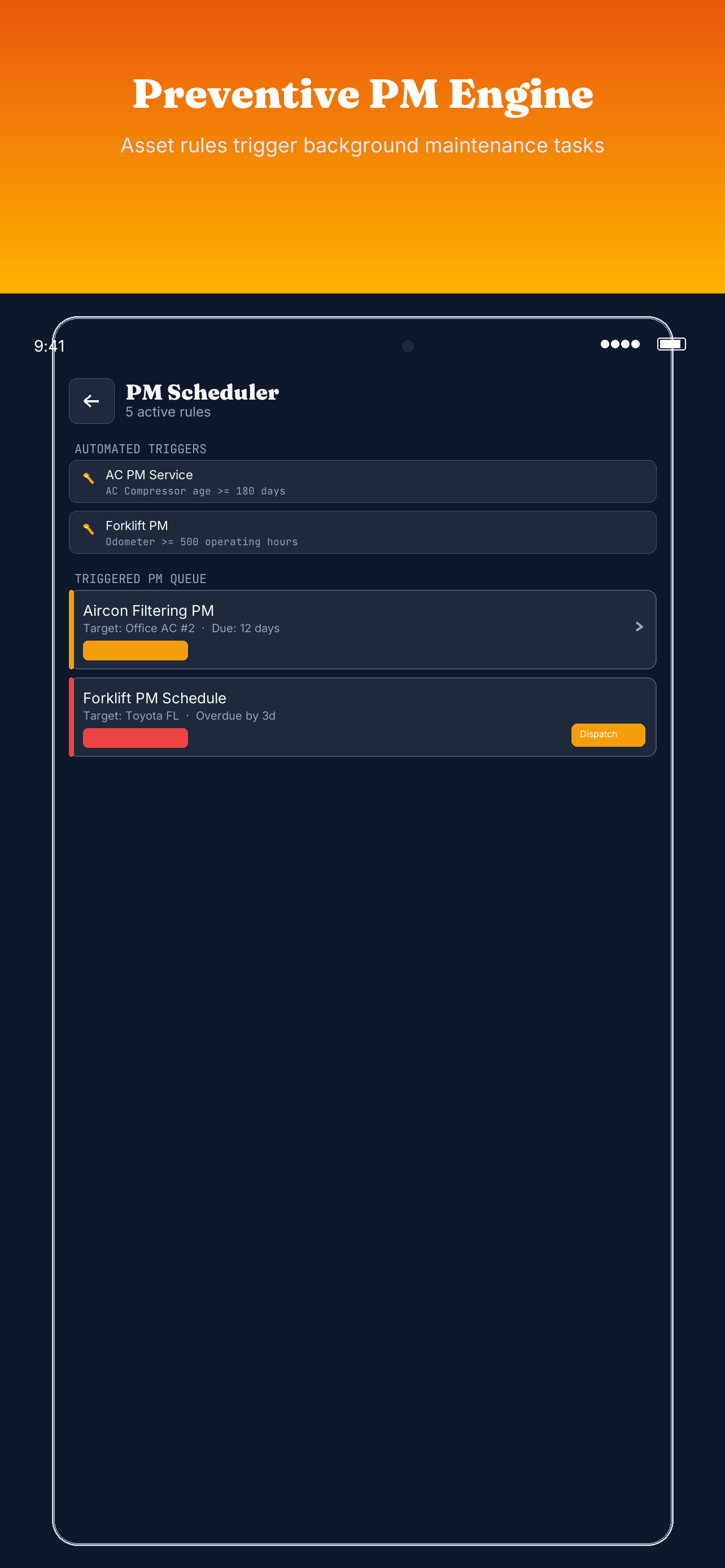
Setup Preventive Maintenance (PM) Triggers
Define automated background PM engine rules. For instance, set AC units to auto-generate PM tickets when the compressor age exceeds 180 days.
-
3
Stock Control & Supplier Dispatch
Monitor spare parts inventory. When components fall below thresholds, click "DISPATCH PO" to trigger email purchase order dispatches to suppliers.
-
4
Capitalize Repair Costs
Technicians log labor time and parts cost. If the repair adds longevity, managers can toggle "Capitalize Cost" to add parts totals directly into the asset's purchase valuation.
-
5
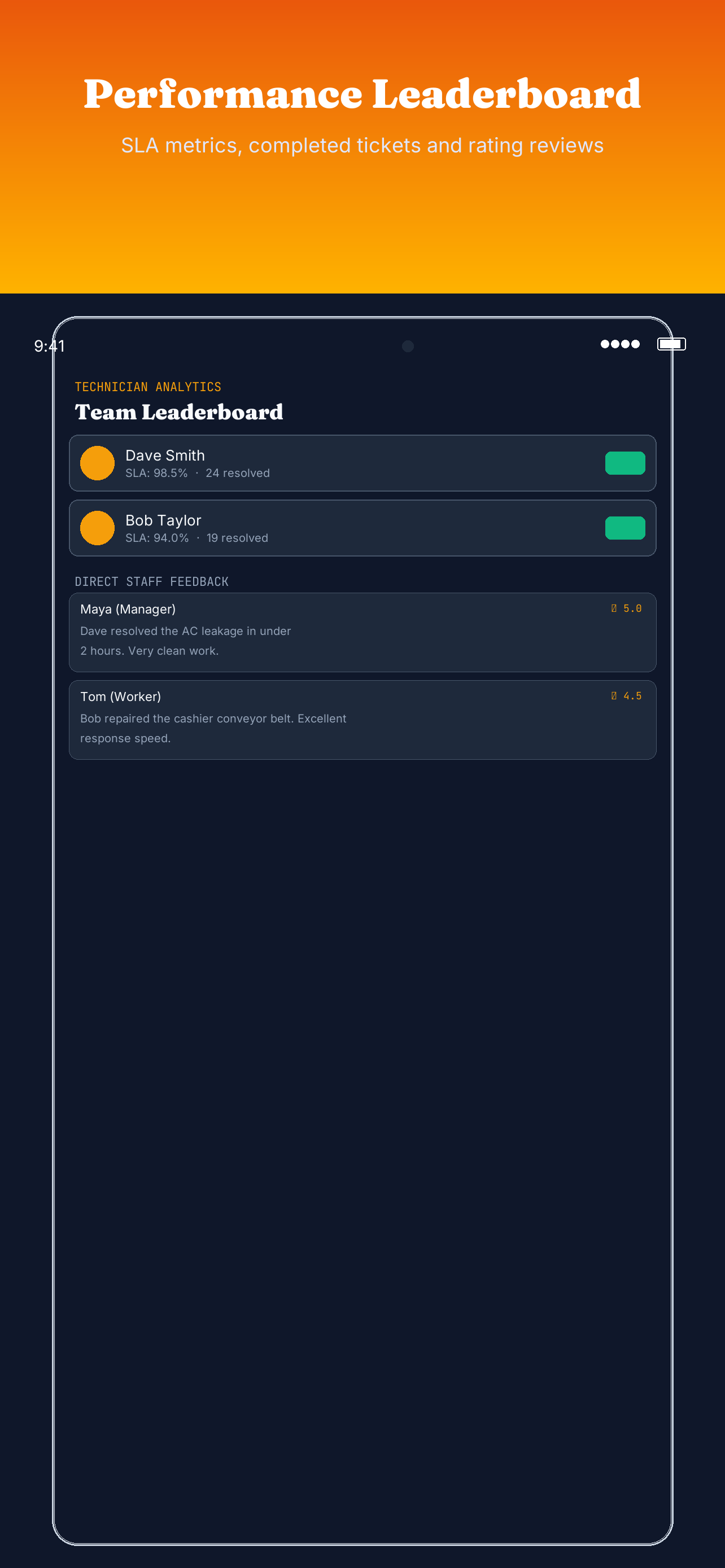
Review SLA Leaderboards
Track technician completion speed, SLA compliance rates, and direct rating feedbacks left by staff inside the Review Timeline dashboard.
🎨 Custom Branding & API
Unlock custom configurations and enterprise integrations. CrewLogix Business tier members can white-label the employee portal and connect workflows directly via our REST API interface.
Custom Branding Configurations
- White-Labeled Subdomains: Direct workers to a dedicated portal on your company's own domain (e.g.
portal.yourcompany.com) by setting up a DNS CNAME record pointing to cname.crewlogix.app.
- Theme & Asset Injection: Upload company logos and customize UI color mappings. These styles automatically reflect on the PIN Kiosk terminal and Worker application client interfaces.
- Branded Notifications: Customize the template layouts and sign-offs for automated schedule emails, text messages, and shift swap approval updates.
REST API Access & Reference
Synchronize schedules, worker ledgers, and attendance audits with your internal ERP, HR, or payroll system using the secure JSON REST API.
⚠️ API Security & Authentication
Authorize operations by passing an active bearer token in the headers of all HTTP requests. The REST API checks the client-supplied key against the Firestore api_keys collection to verify that the token exists, matches the requested workspaceId, and is active (not revoked). Invalid or revoked tokens will return a 401 Unauthorized or 403 Forbidden response.
Generating API Keys
To generate your bearer credentials, navigate to Settings → Developer Settings in the CrewLogix Manager dashboard. Press Generate New Token and copy the string immediately.
Requesting Shifts Example
Fetch published shift entries for a specific calendar window using a standard GET request:
curl -X GET \
  -H "Authorization: Bearer YOUR_API_TOKEN" \
  -H "Content-Type: application/json" \
  "https://api.crewlogix.app/v1/workspaces/{workspaceId}/shifts?start=2026-06-01&end=2026-06-07"
Response Payload Schema
The endpoint returns a structured JSON collection of active assignments:
{
  "status": "success",
  "data": [
    {
      "shiftId": "sh_9x81aB",
      "workerEmail": "worker@company.com",
      "date": "2026-06-01",
      "startTime": "08:00",
      "endTime": "17:00",
      "requiredSkill": "Shift Lead"
    }
  ]
}
🔒 Database rules & Schema
The backend operates on a secure Firebase structure. Workspace security uses Role-Based Access Control (RBAC) rules matching manager and worker relationships.
Firestore Document Structure
{
"id": String,
"name": String,
"description": String,
"managerId": String
}
Access Control Rules
match /workspaces/{workspaceId} {
  allow read: if isSignedIn();
  allow create: if isSignedIn()
    && request.resource.data.managerId == request.auth.uid
    && strLen(request.resource.data.name, 100);
  allow update, delete: if isOwner(resource.data.managerId);
}
Firestore Document Structure
{
  "name": String,
  "email": String,
  "managerId": String,
  "skills": List<String>,
  "minHoursPerWeek": Number,
  "isTerminated": Boolean
}
Access Control Rules
match /workers/{workerId} {
  allow read: if isSignedIn()
    && (resource.data.managerId == request.auth.uid
        || resource.data.email == request.auth.token.email);
  allow create: if isSignedIn()
    && request.resource.data.managerId == request.auth.uid;
  allow update, delete: if isOwner(resource.data.managerId);
}
Firestore Document Structure
{
"workspaceId": String,
"managerId": String,
"date": Timestamp,
"startTime": String,
"endTime": String,
"requiredSkill": String,
"workerId": String
}
Access Control Rules
match /shifts/{shiftId} {
  allow read, write: if isSignedIn()
    && (request.resource.data.managerId == request.auth.uid
        || resource.data.managerId == request.auth.uid);
}
Firestore Document Structure
{
  "workerEmail": String,
  "workspaceId": String,
  "managerId": String,
  "clockIn": Timestamp,
  "clockOut": Timestamp,
  "latitude": Number,
  "longitude": Number
}
Access Control Rules
match /attendance_events/{eventId} {
  allow read, write: if isSignedIn()
    && (resource.data.workerEmail == request.auth.token.email
        || isWorkspaceManager(resource.data.workspaceId)
        || resource.data.managerId == request.auth.uid);
}
Firestore Document Structure
{
"workspaceId": String,
"requesterEmail": String,
"targetEmail": String,
"shiftId": String,
"status": String
}
Access Control Rules
match /shift_swap_requests/{requestId} {
  allow read: if isSignedIn()
    && (resource.data.requesterEmail == request.auth.token.email
        || resource.data.targetEmail == request.auth.token.email
        || isWorkspaceManager(resource.data.workspaceId));
  allow create: if isSignedIn()
    && request.resource.data.requesterEmail == request.auth.token.email
    && request.resource.data.requesterEmail != request.resource.data.targetEmail;
}
Firestore Document Structure
{
  "workspaceId": String,
  "name": String,
  "serialNumber": String,
  "acquisitionDate": Timestamp,
  "cost": Number,
  "salvageValue": Number,
  "depreciationTermMonths": Number
}
Access Control Rules
match /assets/{assetId} {
  allow read: if isSignedIn();
  allow create: if isSignedIn() && isWorkspaceManager(request.resource.data.workspaceId);
  allow update: if isSignedIn();
  allow delete: if isSignedIn() && isWorkspaceManager(resource.data.workspaceId);
}
Firestore Document Structure
{
"managerId": String,
"workspaceId": String,
"status": String,
"createdAt": Timestamp
}
Access Control Rules
match /api_keys/{tokenId} {
  allow read, write: if isSignedIn()
    && (
      (request.resource != null && request.resource.data.managerId == request.auth.uid)
      || (resource != null && resource.data.managerId == request.auth.uid)
    );
}
💳 Licensing & Tiers
CrewLogix is structured with three billing tiers managed via RevenueCat. Managers can upgrade their workspaces to unlock advanced tools and expand worker limits.
| Tier |
Price |
Workspace Limit |
Worker Limit |
Key Features Available |
| CrewLogix Free |
Free / life |
1 Workspace |
Up to 5 Workers |
Basic Scheduling, Worker Mobile App, Basic Attendance |
| CrewLogix Pro |
$9.99 / mo |
Unlimited |
Unlimited |
Kiosk clock-in terminal, Reports & Analytics, Schedule Editor, shift trades |
| CrewLogix Business |
$19.99 / mo |
Unlimited |
Unlimited |
Assets Pro, Maintenance Pro, Vehicles & Fuel, Utilities/Electricity logs |
Module Add-Ons
- Kiosk Terminal Device license: $4.99/device
- Assets Pro: Straight-line depreciation & audits: $6.99/month
- Maintenance Pro: Preventive scheduler & checklists: $6.99/month
- Vehicles: Plate logs, gas card entries: $4.99/month